A logo download often contains SVG, PNG, AI and PDF files, and it isn’t obvious which one to use. The choice is simple: it depends on where the logo will appear.
This article gives the answer as a table first, then explains how the formats differ, what to watch for with each, and which ones to supply if you are the one publishing the logo.
Which logo file format should you use? A quick guide by use
| Use | First choice | If that fails | Why |
|---|---|---|---|
| Websites and apps | SVG | Transparent PNG | Stays sharp at any size, and the file is small |
| Slides and Word documents | Transparent PNG | SVG | Older versions and some tools cannot insert SVG, or draw it incorrectly |
| Social media profile pictures | Square PNG with a solid background | Transparent PNG | Many networks crop the image to a circle and can fill transparent areas with black or white. Most accept raster images only |
| Business cards, flyers and brochures (print files) | PDF or AI | None | Follow the printer’s specification; vector artwork can be supplied as it is. Some printers cannot take SVG |
| Signs and large-format print | AI or PDF (vector) | None | It is enlarged so far that a raster image needs a very high resolution; vector is the safe choice |
| Placed over a photo or a colored background | Transparent PNG or SVG | None | Without transparency a white box is left around the logo |
| A designer needs to edit it | AI | SVG | The editable source. Check the guidelines on whether modification is allowed |
What is the difference between vector and raster images?
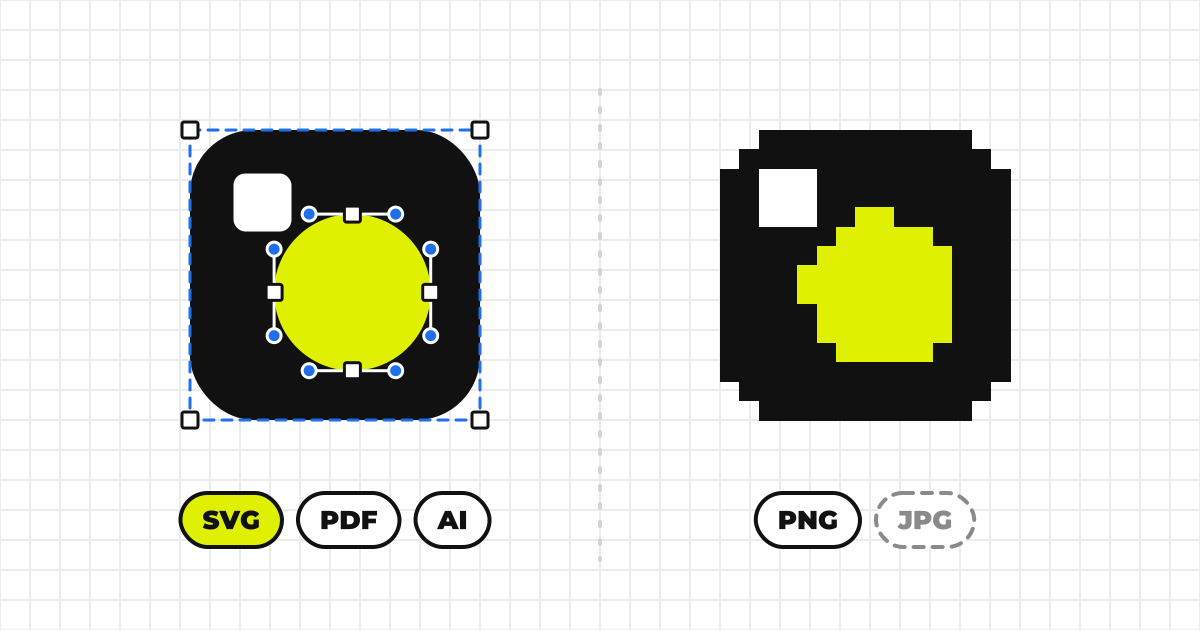
Vector formats record lines and shapes as mathematical descriptions, so they stay sharp when enlarged. SVG, PDF, AI and EPS are the usual ones.
Raster formats record a grid of colored dots (pixels), so they blur when enlarged. PNG, JPEG, WebP, GIF and BMP are raster formats.
A logo’s master file is almost always vector. So use the vector file first, and treat raster files as a substitute for places that cannot take vector.
The common logo formats compared
| Format | Type and enlarging | Transparent | Main use | Watch out for |
|---|---|---|---|---|
| SVG | Vector. No loss when enlarged | Yes | Web and apps | Text renders in the wrong typeface unless converted to outlines |
| PNG | Raster (lossless). Blurs when enlarged | Yes | Web, Office, social | Supply it at about twice the largest size it will be shown |
| JPEG | Raster (lossy). Blurs when enlarged | No | Photographs | A poor fit for logos: leaves a white box and ragged edges |
| WebP | Raster. Blurs when enlarged | Yes | Web (small files) | Some apps and print workflows cannot open it |
| Vector or raster. No loss if vector | Yes | Print files, sharing | Fonts must be embedded or converted to outlines | |
| AI | Vector. No loss when enlarged | Yes | Editing, print files | Needs Illustrator or compatible software |
| EPS | Vector. No loss when enlarged | Partly | Older print workflows | Cannot hold semi-transparent effects; PDF has replaced it |
There is little reason to distribute a logo as GIF or BMP today. PNG does the job.
What to watch for with SVG
SVG is a vector format written as text. Browsers draw it directly, the file is small, and it stays sharp at any size. For a logo on the web it is the first choice.
The text appears in a different typeface
If the text inside a logo is still live text that names a font, anyone without that font sees it in another typeface — which is no longer your logo. Before exporting, convert the text to outlines (turn the letters into shapes).
Don’t open an SVG from an unknown source
An SVG file can contain scripts. They do not run when the file is shown through an <img> tag, but they can run when the file is opened directly in a browser. Take logos from the official source. MediaKit™ rejects an SVG that contains scripts or event handlers at upload.
How do PNG, JPEG and WebP differ?
PNG — the standard raster format for logos
PNG is lossless, so quality is not lost, and it supports a transparent background. Where vector isn’t an option, a transparent PNG is the standard for logos. Size it at about twice the largest size it will be shown: for a 200px-wide slot, a PNG 400px wide, so it stays sharp on high-density screens.
JPEG — don’t use it for logos
JPEG is lossy compression built for photographs and cannot have a transparent background. Over a colored background it leaves a white box, and compression smears the edges. Every re-save loses more quality. Keep it out of a logo download.
WebP — light on the web, but never the only raster
WebP displays in the major browsers and can be smaller than PNG. But Office, design tools and print workflows may not open it. If you supply it, always include a PNG as well.
How are PDF, AI and EPS used in print?
Many printers specify it for artwork. It carries vector artwork as it is and opens almost anywhere. When you export, embed the fonts or convert the text to outlines.
AI
The Adobe Illustrator format, and the editable source. Handing it over means handing over something that can be modified, so whether to distribute it is a decision for your guidelines. A file saved in a newer version may not open in an older Illustrator. An AI file saved with PDF compatibility can still be viewed in a PDF viewer.
EPS
A vector format long used in print. It cannot hold semi-transparent effects such as shadows and blur, so PDF has taken its place. Some older production setups still ask for it; export it only in that case.
If you publish a logo, which formats and how many files should you supply?
The minimum is SVG and a transparent PNG for every variant — horizontal set, vertical set and symbol-only, each for light and dark backgrounds. If the logo will be printed, add a PDF or AI.
Three layouts, each for light and dark backgrounds, in SVG and PNG, come to 3 × 2 × 2 = 12 files. With that many, put the organization, the variant and the background in the file name, so that it reads at a glance: acme-logo-horizontal-dark.svg.
Don’t bundle everything in one ZIP. Let people download each format separately, so they take only the one they need.
How MediaKit™ handles formats
MediaKit™ accepts SVG, PNG, JPEG, WebP, GIF, BMP, PDF, PS (PostScript), AI and XD, and one logo can carry several formats. EPS is not among the formats it accepts, so point anyone who needs it to the PDF or AI. With bulk upload, a logo that has only SVG, or only AI or PDF, gets a PNG generated in the browser and added (you can turn this off; an AI file saved without PDF compatibility may not be convertible). The steps are in the upload guide.
If you are receiving a logo, how do you choose?
- If it is for a website or an app, use the SVG.
- If the SVG isn’t accepted or draws wrongly, use the transparent PNG.
- For print, check what the printer asks for. If nothing is specified, use the PDF.
- A white box around the logo means the file has a solid background: a JPEG, or a PNG without transparency. Switch to a transparent PNG or the SVG.
- If it looks blurry, a small raster image is being enlarged. Use a larger PNG, or the vector.
- If none of these works, ask the source instead of redrawing the logo yourself.
A logo you have redrawn is a form the owner never published, which counts as altering it. What to check before using someone else’s logo is covered in Logo Usage Rules: Permission and Clear Space.
Common mistakes, and how to fix them
NG
Placing a JPEG logo on a colored background and leaving a white box.
Stretching a small PNG until the outline blurs.
Cropping the logo out of a screenshot of a website.
OK
Using a transparent PNG or an SVG, in the variant made for that background.
Using a PNG at twice the display size, or the vector.
Getting the file from the official source, in the format it specifies.
- SVG for web and apps, transparent PNG for everything else
- Text in the SVG is converted to outlines
- A PDF or AI is included if the logo will be printed
- No JPEG in the logo download
- File names carry the organization, the variant and the background
- Each format can be downloaded separately
Where to host the files and who should see them is covered in What a Media Kit Is and How to Publish One. For the space around the logo and its minimum size, see How to Set Logo Clear Space and Minimum Size.